Class schedule
Your week,
at a glance.
Classes, subjects and rooms in a weekly view. Plan your schedule for university or school.


Student planner
Organize your class schedule, assignments and exams in one app.

Your week, upcoming tasks and progress through your studies.
Class schedule
Classes, subjects and rooms in a weekly view. Plan your schedule for university or school.
Study planner
Assignments, tests, exams and tasks, organized by date and subject.
Study plan
Years, terms, grades and status. See what you’ve completed and what comes next.
Focus, review and practice. Choose what you need for each study session.

Alternate focus sessions and breaks with a timer.

Create question-and-answer cards to review your notes.

Practice with multiple-choice questions and review your answers.

Calculate your remaining absences based on required attendance.
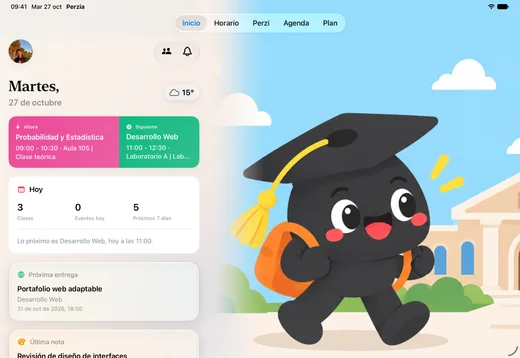

Your day, always at hand.
 Coming soon toGoogle Play
More room for your ideas.
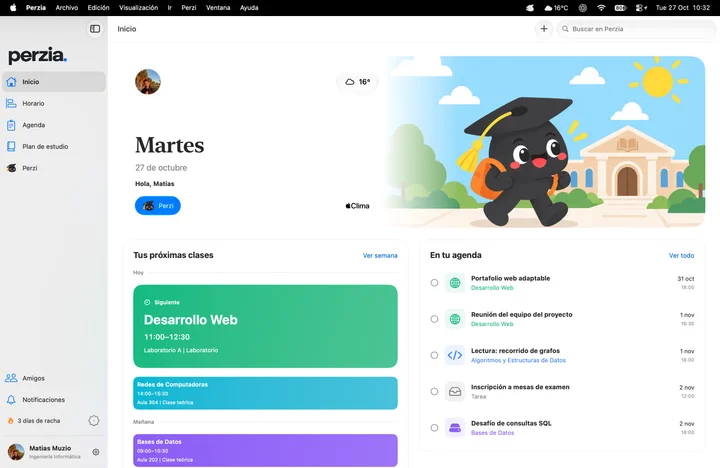
A clear week, with room for classes and studying.
Read guideDates and priorities to prepare each assignment on time.
Read guideSubjects, grades and progress to understand your academic journey.
Read guidePerzia is a planner for university and school students. Organize class schedules, assignments and exams, and keep track of subjects, grades and progress through your study plan.
Download Perzia for iPhone, iPad and Mac from the App Store, or use the web version in your computer’s browser. Available features may differ between the web and native apps.
Yes. Sign in on the web with the same Perzia account to access your synced subjects, schedules and tasks. You don’t need a second account.
Create your account, add your subjects and enter your classes in Schedule. Then add assignments and exams to Planner and review each subject’s status in Study plan.
The Android version is listed as coming soon. You can currently use the web version in a browser or download the versions available on the App Store.
Or take Perzia with you on iPhone, iPad and Mac.